Documentation
Start with API access, authentication, and the current integration scope.
Get startedMailhub developer platform
Authenticate, create orders, request rates, and purchase and download shipping labels through a workflow-focused API.
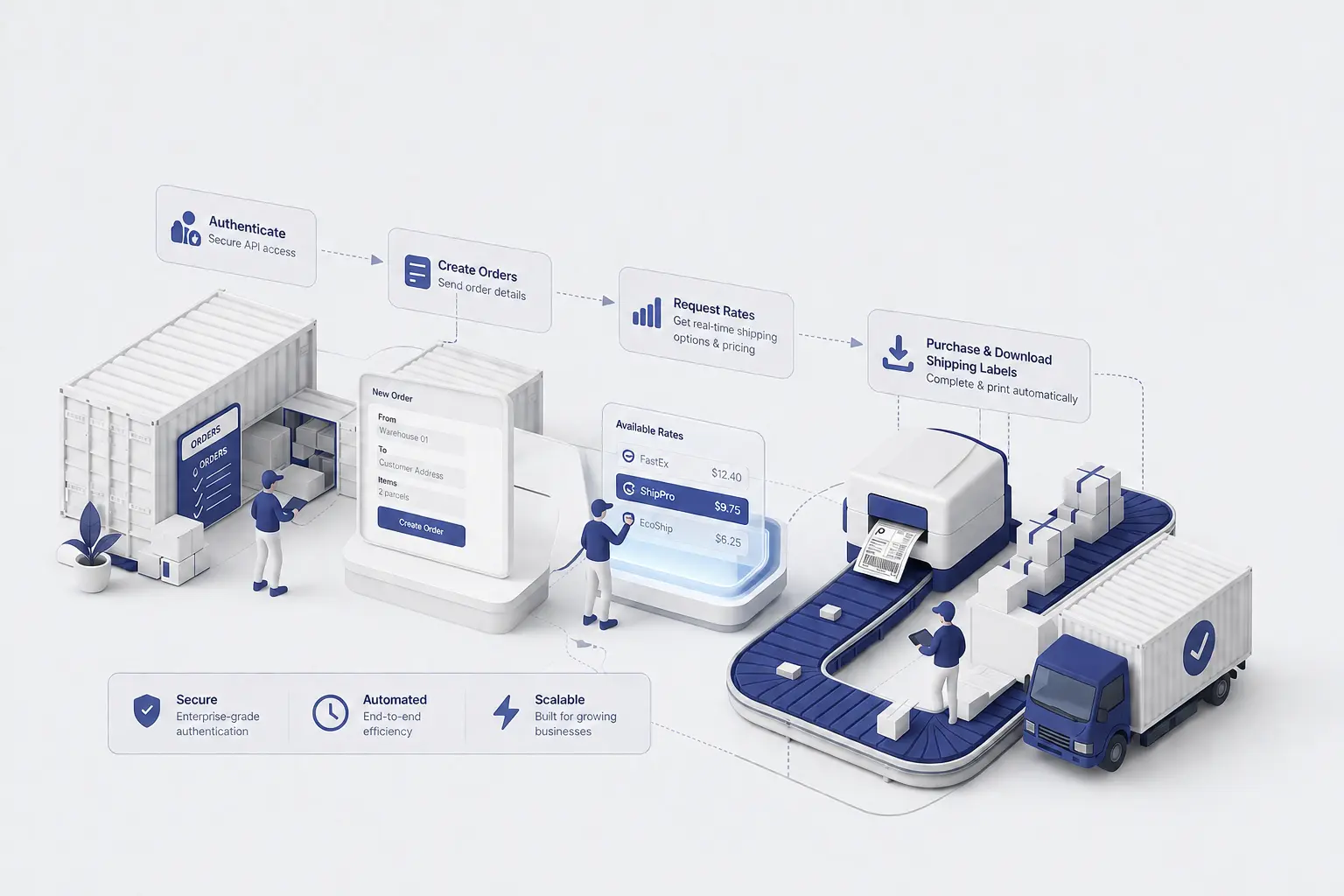
Core workflow
Follow the integration path from account access through label delivery.

Exchange your API key for the credentials needed to make requests.

Provide the shipment details required for fulfilment.

Retrieve eligible shipping options for a shipment.

Select a rate, purchase a label, and retrieve its document.
Developer resources
Start with API access, authentication, and the current integration scope.
Get startedExplore methods, parameters, responses, and schemas for each supported operation.
View referencePrepare credentials, retries, downloads, and operational safeguards for launch.
Review guidanceReview customer-visible API, documentation, tooling, and Beta changes.
View release notesCopy a working request sequence for one task — order to rate to label, in cURL, JavaScript, Python, and Java.
Browse recipesImport the generated collection of the 12 public requests and run them from your own API client.
Use the collectionAssemble a sanitized support request, with the details to include and the credentials to leave out.
Get help